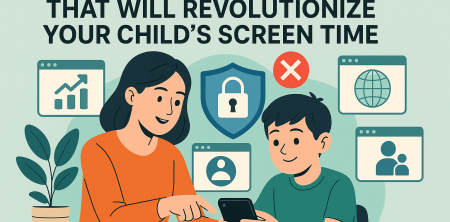
Alright, let's be honest. Managing kids' screen time feels like an uphill battle, doesn't it? One minute they're glued to a tablet, the next they're negotiating for 'just five more minutes' on the gaming console. It's enough to make any parent throw their hands up in exasperation. And with the school year in full swing, the stakes feel even higher. We're all trying to strike that delicate balance between letting our kids explore the digital world and ensuring they're actually, you know, learning and thriving offline.
As News4JAX reported back in October 2026, experts like pediatrician Dr. Gina Robinson are really pushing for parents to dial back that recreational screen time, especially when school is in session. Why? Because it's not just about getting homework done; it's about safeguarding their behavior, keeping their attention spans intact, and protecting their mental health. Those are some pretty big reasons to pay attention, if you ask me. But here's the kicker: the American Academy of Pediatrics (AAP) has actually shifted its stance a bit. They're moving away from rigid time limits and instead advocating for a 'digital ecosystem' approach. This means looking at what kids are doing online, the quality of the content, and the overall context of their screen use. It's not just about the clock anymore; it's about the whole picture, including those emerging AI tools in education.
And speaking of AI, that's a whole new layer to this digital parenting puzzle. A 2026 IBM study highlighted a pretty significant gap between how quickly AI is being adopted in K-12 schools and how ready everyone actually is for it. Parents, quite rightly, want more transparency and clearer guidelines. So, how do we, as parents, keep up with all of this? How do we manage the screens, guide our kids through AI, and still maintain our sanity? That's where screen time management tools come in. They're not just about setting timers; they're about helping us build that healthier digital ecosystem for our families. Let's dive into some of the top parental control apps out there, offering a comprehensive screen time management tools comparison to help you choose the right fit for your family.
Understanding the Evolving Landscape of Screen Time Management
The conversation around children and technology has always been dynamic, but it's accelerating at an incredible pace. Gone are the days when 'screen time' simply meant watching Saturday morning cartoons. Now, it encompasses everything from educational apps and online collaboration for school projects to social media, streaming services, and sophisticated online gaming. This complexity is precisely why the AAP has moved towards that 'digital ecosystem' mindset. It acknowledges that not all screen time is created equal. A video chat with grandparents is vastly different from endless scrolling on TikTok, and using an AI-powered tutor for math homework is miles away from a binge-watching session.
This nuanced view asks us to consider not just the quantity, but the quality and context of digital interactions. It’s about fostering media literacy, teaching critical thinking, and guiding our children to be responsible digital citizens. But let's be real, that's a lot to ask of parents already juggling work, household chores, and everything else life throws at them. That's why having robust screen time management tools is more crucial than ever. They act as our digital assistants, helping us implement the boundaries and guidelines we establish, even when we can't be looking over our kids' shoulders every second of the day.
Why Screen Time Management is More Critical During the School Year
During the summer, a little extra screen time might feel like a harmless treat, a way for kids to unwind and explore. But when the school bells start ringing, the equation changes dramatically. Dr. Gina Robinson's advice to scale back recreational screen time isn't just a suggestion; it's rooted in very real concerns about academic performance and overall well-being. Think about it: a child who's been up late gaming or scrolling is less likely to be well-rested, attentive in class, or motivated to tackle homework.
Excessive recreational screen time can directly impact a child's ability to focus, their capacity for deep thinking, and even their emotional regulation. We've all seen the meltdowns when a device is taken away, right? That's not just defiance; it can be a sign of overstimulation and an inability to self-regulate. By implementing smart screen time management, especially during the school year, we're not just being 'mean' parents; we're actively supporting their academic success, promoting better sleep habits, and fostering healthier coping mechanisms for stress. It's an investment in their future, plain and simple. (See: CDC on youth mental health.)
1. Qustodio: The Comprehensive All-Rounder
When you're looking for a parental control app that truly covers all your bases, Qustodio consistently comes up as a strong contender. It's not just about limiting screen time; it's a holistic approach to digital parenting. This app offers impressive features that span across device usage, web filtering, app blocking, and even YouTube monitoring. You can set time limits for specific apps or overall device use, ensuring that your child isn't spending hours on social media when they should be studying. What I really appreciate about Qustodio is its intuitive interface, which makes it relatively easy for parents to navigate, even if they're not tech wizards. For more context, see mind-blowing homeschool curriculums for busy parents.
Qustodio also provides detailed activity reports, giving you a clear picture of what your child is doing online. This transparency is key for understanding their digital habits and initiating meaningful conversations. It works across multiple operating systems – Android, iOS, Windows, macOS, and even Kindle – which is a huge plus for families with a mix of devices. Its web filtering is robust, allowing you to block inappropriate content by category, and you can customize these settings based on your child's age and your family's values. For a comprehensive screen time management tools comparison, Qustodio definitely stands out for its breadth of features and cross-platform compatibility.
2. Bark: The AI-Powered Content Monitor
Bark takes a slightly different, yet incredibly powerful, approach to parental control. Instead of just blocking websites or setting time limits, Bark leverages artificial intelligence to monitor content across over 30 popular social media platforms, texting, email, and web browsers. It doesn't give you full access to your child's private messages (which can be a relief for privacy-conscious teens and parents alike), but instead alerts you to potential issues like cyberbullying, predatory behavior, depression, drug use, or suicidal ideation. This AI-driven insight is what makes Bark truly unique in the screen time management tools comparison.
For parents concerned about the hidden dangers of the internet and the complexities of online social interactions, Bark offers a significant layer of protection. It allows you to set screen time schedules and block specific apps or websites, but its primary strength lies in its proactive content monitoring. The alerts are designed to be actionable, providing context and suggesting ways to talk to your child about sensitive issues. In an era where AI is rapidly integrating into our kids' lives, having an AI tool like Bark to help monitor their digital safety feels incredibly relevant.
3. Net Nanny: The Pioneer with Real-Time Filtering
Net Nanny has been around for a while, establishing itself as a pioneer in parental control software, and it continues to evolve. Its real-time content filtering technology is a standout feature. Instead of relying on a pre-set list of banned sites, Net Nanny analyzes web pages in real-time, looking for objectionable words and phrases. This means it can catch new or subtly inappropriate content that might slip past other filters. This dynamic filtering provides a strong defense against rapidly changing online content.
Beyond its powerful filtering, Net Nanny offers solid screen time management capabilities. You can set daily time allowances, schedule device availability, and instantly pause the internet on your child's devices – a feature that's incredibly handy for getting their attention for dinner or homework. It also monitors YouTube, ensuring that content is appropriate. Its user interface is clean and straightforward, making it easy to manage rules and review activity. For parents prioritizing robust, adaptive web filtering alongside standard screen time controls, Net Nanny remains a top choice in any screen time management tools comparison.
4. Kaspersky Safe Kids: Feature-Rich and Budget-Friendly
Kaspersky Safe Kids offers an impressive suite of parental control features without breaking the bank, making it a strong contender for value-conscious families. It includes excellent web filtering, app usage control, screen time scheduling, and even GPS tracking to help you locate your child. The app allows you to set time limits for overall device use or specific applications, and you can easily view detailed activity reports from a centralized dashboard. Its user-friendly design means you won't need an IT degree to figure it out. (See: WHO on adolescent mental health.)
One of the particularly useful features of Kaspersky Safe Kids is its 'battery tracker' for mobile devices, which can send you an alert when your child's phone battery is low – a small but significant detail for peace of mind. While its content monitoring isn't as deep as Bark's, its core functionalities for screen time management and web filtering are highly effective. It supports Windows, macOS, Android, and iOS, ensuring broad device compatibility. For a solid, reliable, and affordable option in your screen time management tools comparison, Kaspersky Safe Kids delivers a lot of bang for your buck.
5. Google Family Link: The Free, Android-Centric Option
If your family primarily uses Android devices and you're looking for a free solution, Google Family Link is an excellent starting point. It's deeply integrated into the Android ecosystem, making setup relatively straightforward for Android phones and tablets. With Family Link, you can approve or block apps your child wants to download from the Google Play Store, manage app permissions, and, crucially, set daily screen time limits and device bedtime schedules. It's a fantastic, no-cost way to get a handle on digital boundaries. For more context, see parental control apps that could save your daughter's mental health.
Family Link also allows you to see your child's device location, which can be reassuring. While it doesn't offer the extensive web filtering or social media monitoring of some paid apps, its core screen time management features are robust and effective for Android users. It's a great choice for younger children, where the focus is more on controlling app access and overall device usage. However, it's worth noting that its functionality on iOS devices is more limited, so it's best suited for families firmly entrenched in the Android world. For a free tool in your screen time management tools comparison, it's hard to beat Google Family Link for Android users.
6. OurPact: Focus on Scheduling and App Control
OurPact is designed with a strong emphasis on scheduling and app management, making it particularly useful for parents who want to create structured device usage times throughout the day. You can grant or block internet and app access at specific times, or even instantly block all apps with a single tap. This flexibility allows parents to create routines for school, homework, playtime, and bedtime, ensuring devices aren't a distraction when they shouldn't be.
One of OurPact's standout features is its ability to block not just apps, but *all* internet access on a schedule, which can be incredibly effective for ensuring focused time. It also offers a 'grant' feature, allowing your child to request more screen time, which you can approve or deny remotely. This fosters a sense of responsibility and communication. While its web filtering isn't as granular as some competitors, its robust scheduling and app control make it a powerful tool for managing daily device habits across iOS and Android devices, earning it a solid spot in any screen time management tools comparison.
7. Mobicip: Balancing Safety and Digital Learning
Mobicip aims to provide a balanced approach to parental control, focusing on fostering a safe digital environment while still allowing children to leverage technology for learning. It offers comprehensive web filtering, screen time scheduling, app blocking, and location tracking. What makes Mobicip noteworthy is its commitment to helping parents understand and manage the content their children consume, including educational apps and resources. It's about enabling positive tech use, not just restricting negative use.
Mobicip provides detailed insights into browsing history and app usage, giving parents the data they need to have informed discussions with their children. Its filtering technology is designed to be highly customizable, allowing parents to tailor settings to individual children and their unique needs. It supports a wide range of devices, including iOS, Android, Windows, macOS, and even Chromebooks, which is a major plus for families with diverse tech ecosystems. For families looking for a tool that supports both safety and constructive digital engagement, Mobicip is a strong contender in our screen time management tools comparison.
Considering AI's Role in Education and Parental Controls
The integration of artificial intelligence into education is no longer a futuristic concept; it's happening right now. That 2026 IBM study wasn't kidding when it highlighted the gap between AI adoption in K-12 schools and readiness. AI tutors, personalized learning platforms, and even AI-powered research tools are becoming commonplace. This presents both incredible opportunities and new challenges for parents. On one hand, AI can offer tailored learning experiences, helping students grasp complex concepts at their own pace. On the other, it introduces questions about data privacy, algorithmic bias, and the potential for over-reliance on technology.
This evolving landscape means our screen time management tools comparison needs to consider how these apps can adapt. While most current parental control apps focus on traditional screen time and content filtering, the next generation will likely need to integrate more deeply with AI-powered educational tools. Parents will want to know if their children are using AI responsibly, understanding the limitations, and not simply having AI do their thinking for them. This means parental control apps might need to evolve to offer insights into AI tool usage, prompt ethical discussions, and help parents guide their children through this new frontier of learning. It's a complex, ever-moving target, and we, as parents, will need to stay informed and adaptable.
Making the Right Choice for Your Family's Digital Ecosystem
So, we've walked through some of the best screen time management tools out there, each with its own strengths. Qustodio offers comprehensive coverage, Bark provides AI-powered content monitoring, Net Nanny boasts real-time filtering, Kaspersky Safe Kids is a feature-rich budget option, Google Family Link is a great free choice for Android users, OurPact excels in scheduling and app control, and Mobicip balances safety with digital learning. The 'best' app really depends on your family's specific needs, your children's ages, and the types of devices you use.
Before you commit, think about what worries you most. Is it excessive gaming? Inappropriate content? Cyberbullying? Or simply the sheer amount of time they're spending online? Do you need GPS tracking? Do you have a mix of Android and iOS devices? Once you've identified your priorities, you can narrow down the options. Many of these apps offer free trials, which I highly recommend taking advantage of. Test them out, see how they fit into your family's routine, and involve your children in the conversation (where appropriate). Remember, these tools are there to support you in creating a healthier, more balanced digital life for your kids, not to replace open communication and trust. It's about empowering them to navigate the digital world safely and responsibly, so they can truly thrive, both online and off.
Trending Now
Frequently Asked Questions
What are the best parental control apps for managing screen time?
There are several effective parental control apps that can help manage screen time, including Qustodio, Net Nanny, and Norton Family. These apps allow parents to set time limits, monitor usage, and filter content, making it easier to balance recreational screen time with educational activities.
How can I effectively limit my child's screen time?
To effectively limit your child's screen time, consider using parental control apps that allow you to set specific time restrictions and monitor usage. Additionally, establish clear guidelines around screen time that prioritize educational content and include regular offline activities to encourage a balanced digital lifestyle.
What is the American Academy of Pediatrics' advice on screen time?
The American Academy of Pediatrics (AAP) has shifted from strict time limits on screen use to advocating for a 'digital ecosystem' approach. This means focusing on the quality of content and the context of screen use, rather than just the amount of time spent on devices.
How does screen time affect children's mental health?
Excessive screen time can negatively impact children's mental health by affecting their attention spans, behavior, and overall well-being. Experts recommend balancing recreational screen time with educational activities to promote healthier habits and safeguard mental health.
What role does AI play in children's screen time management?
AI is becoming increasingly integrated into education, creating both opportunities and challenges for screen time management. Parents need to stay informed about AI tools used in schools and how they can complement traditional learning, ensuring a balanced approach to their children's digital engagement.
Agree or disagree? Drop a comment and tell us what you think.


0 Responses