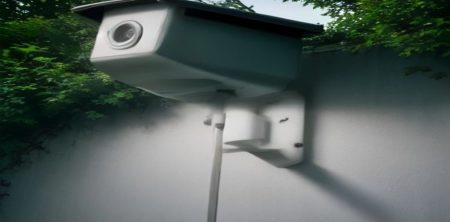
You've likely seen the headlines, or at least the heated discussions bubbling up in smart home forums: renewed concerns over the privacy practices of popular security cameras, especially Eufy. It's a topic that's quickly gone viral, and for good reason. Despite past settlements and promises of tighter security, the fundamental architecture of many systems – heavily reliant on the cloud – continues to make people nervous about who might be watching their live feeds or accessing their sensitive data. This isn't just a technical debate; it's an emotionally charged issue, and consumers are actively seeking out reliable reviews and robust Eufy privacy alternatives that put local control and genuine privacy first.
The idea of a "Eufy Privacy Breach 2026" might sound like a distant future problem, but it encapsulates a very present anxiety. Are we truly in control of our home security footage when it lives on someone else's servers? For many, the answer is a resounding 'no.' That's why we're seeing a massive shift towards systems that prioritize keeping your data where it belongs: in your home. This guide will walk you through the top local security camera alternatives, focusing on systems that offer true peace of mind without compromising on security or features. Let's dive in and see how you can secure your home on your terms.
1. Blue Iris with Local IP Cameras: The Power User's Choice for Privacy
If you're serious about local control and maximizing privacy, combining Blue Iris software with compatible local IP cameras is arguably the gold standard. This isn't an off-the-shelf, plug-and-play system in the same way a Eufy camera might be, but it offers unparalleled customization and ensures your video streams never touch a third-party cloud. Blue Iris runs on a Windows PC, transforming it into a powerful Network Video Recorder (NVR) that can manage dozens of cameras, record continuously or on motion, and even provide advanced AI-powered object detection.
The beauty of Blue Iris lies in its flexibility. You can select from a vast array of ONVIF-compatible IP cameras from various manufacturers, choosing models known for their robust local access features and avoiding those that force cloud connectivity. This allows you to build a truly bespoke system tailored to your specific privacy and security needs. All recordings stay on your local hard drive, and remote access, if desired, can be configured securely via a VPN to your home network, rather than relying on a manufacturer's cloud service.
2. Synology Surveillance Station with NAS: Integrated, Robust, and Private
For those who want a more integrated, appliance-like solution that still keeps everything local, a Synology Network Attached Storage (NAS) device running Surveillance Station is an excellent Eufy privacy alternative. Synology NAS units are essentially mini-servers designed for data storage, and their Surveillance Station package turns them into a sophisticated NVR. It supports a wide range of IP cameras, similar to Blue Iris, but offers a more streamlined, user-friendly interface that many find less intimidating than a dedicated PC setup. There's a fuller look at privacy risks in smart homes.
With Synology, your video footage is recorded directly to the hard drives within the NAS, giving you complete ownership and control over your data. You can configure motion detection, continuous recording, and various alerts, all managed locally. Synology also offers mobile apps for remote viewing, but crucially, you can set these up to connect directly to your NAS via your home network (or securely through a VPN) rather than routing through Synology's cloud. This provides a strong balance of convenience and privacy, making it a popular choice for those serious about data sovereignty.
3. Arlo Security Systems (with Local Storage Option): Hybrid Approach for Flexibility
While Arlo is often associated with cloud services, it's worth noting that many of their systems, particularly those using an Arlo SmartHub or Base Station, offer local storage options. This can make them a viable Eufy privacy alternative for users who want some of the convenience of a mass-market brand but also desire a local backup for their recordings. Cameras connect wirelessly to the SmartHub, which then records footage to a USB drive or microSD card inserted into the hub.
It's important to understand that Arlo's local storage typically functions as a backup or a secondary recording method, and some advanced features might still rely on their cloud subscription. However, for basic recording and event playback directly from the local storage, it can significantly reduce your reliance on cloud infrastructure. If you're looking for a relatively easy-to-set-up system that offers a degree of local control, carefully checking the specific model's local storage capabilities and understanding its limitations is key. This hybrid model can be a good stepping stone for those not ready for a full DIY NVR setup.
4. Reolink Cameras with NVR or Local SD Card: Affordable and Feature-Rich Local Storage
Reolink has gained a strong reputation for offering feature-rich cameras at competitive prices, and many of their models excel in providing robust local storage options. A significant number of Reolink cameras include an SD card slot for on-device recording, meaning footage can be stored directly on the camera itself without needing any cloud subscription or even a separate NVR. For more comprehensive coverage, Reolink also offers dedicated Network Video Recorders (NVRs) that allow you to connect multiple cameras and record continuously to a larger hard drive.
What makes Reolink a compelling Eufy privacy alternative is their commitment to local access. You can often access the camera's web interface directly via your local network, download recordings, and configure settings without ever touching their cloud services. While Reolink does offer cloud services for those who want them, they are generally optional, making these cameras an excellent choice for users who prioritize keeping their data within their own network. Their PoE (Power over Ethernet) cameras are particularly popular for their reliable, wired connections and simplified power delivery. (See: Eufy security cameras and privacy concerns.)
5. Amcrest Security Systems (with NVR or SD Card): Professional Features for Home Use
Amcrest is another brand that has successfully bridged the gap between professional-grade surveillance and consumer-friendly home security. Many Amcrest cameras and NVRs offer strong local storage capabilities, positioning them as solid Eufy privacy alternatives. Their cameras often support local SD card recording, and their NVRs provide ample hard drive space for continuous recording from multiple channels.
Similar to Reolink, Amcrest cameras generally provide direct local network access, allowing you to configure and view feeds without mandatory cloud involvement. They are often ONVIF compatible, which means they can integrate with third-party NVR software like Blue Iris, further enhancing your control and flexibility. For users who appreciate a more extensive feature set, including advanced analytics often found in commercial systems, Amcrest offers a compelling package while keeping your video data firmly under your control.
6. Dahua and Hikvision (Consumer Lines) with Local NVR: Industry Stalwarts for DIYers
Dahua and Hikvision are giants in the professional surveillance industry, and their consumer-oriented lines offer incredibly robust local control options, making them strong Eufy privacy alternatives. While some users might be wary of these brands due to past controversies (which largely involved government contracts and specific security vulnerabilities that have since been addressed), their current consumer products, when configured correctly for local use, offer some of the most powerful and reliable local recording solutions available.
These cameras are designed to work seamlessly with their proprietary NVRs, which offer extensive features like advanced motion detection, facial recognition, and smart analytics, all processed and stored locally. Crucially, you can disable cloud services entirely and manage these systems purely within your home network. For the technically inclined who want enterprise-level features and rock-solid reliability without cloud dependence, exploring Dahua and Hikvision's consumer NVR and IP camera lines is definitely worthwhile, but be prepared for a slightly steeper learning curve compared to more consumer-focused brands.
7. Frigate NVR with AI Detection: Open Source, Cutting-Edge, and Fully Local
For the truly privacy-conscious and technically adventurous, Frigate NVR is a game-changer. This open-source project leverages a Google Coral AI accelerator (or similar hardware) to perform real-time object detection on your video streams, all locally. Imagine having a camera system that can reliably distinguish between a person, a car, or a pet, and only record or alert you when a specific type of object is detected – all without sending a single frame to the cloud.
Frigate integrates beautifully with Home Assistant (another open-source smart home platform) and supports virtually any ONVIF-compatible IP camera. The setup requires some technical know-how, including configuring a server (a mini-PC or even a Raspberry Pi with sufficient power) and installing the software. However, the payoff is immense: a highly intelligent, fully local, and completely private surveillance system that puts you in absolute control. This is the ultimate Eufy privacy alternative for those who want to build the most secure and advanced local system possible.
8. Home Assistant with Generic IP Cameras: The Smart Home Enthusiast's Privacy Hub
Home Assistant is an open-source smart home platform that puts local control at its core. While not a security camera system itself, it can act as the central brain for integrating and managing various generic IP cameras. By adding cameras that support RTSP (Real-Time Streaming Protocol) to your Home Assistant setup, you can view live feeds, trigger recordings on motion (using Home Assistant's automation capabilities), and even integrate camera events with other smart home devices.
The beauty here is that Home Assistant runs entirely on your local network (typically on a Raspberry Pi or dedicated mini-PC), meaning all camera data and automation logic stays within your home. There's no mandatory cloud subscription or third-party server involvement. You select cameras known for their local RTSP streams, integrate them into Home Assistant, and then build automations around them. This approach offers incredible flexibility and privacy, allowing you to craft a truly personalized and secure smart home ecosystem that includes your surveillance.
9. Doorbell Cameras with Local Storage (e.g., Unifi Protect G4 Doorbell Pro): Securing Your Entry Point Locally
While often overlooked in broader discussions about security cameras, doorbell cameras are critical entry points for privacy concerns, given their direct view of your front door and often public spaces. Many popular doorbell cameras, like Ring or Nest, are heavily cloud-dependent. However, there are excellent Eufy privacy alternatives that prioritize local storage for this crucial device.
One standout example is the Unifi Protect G4 Doorbell Pro, which integrates seamlessly with a Unifi Protect NVR (like a Cloud Key Gen2 Plus or Dream Machine Pro). All recordings from the doorbell are stored locally on the NVR, giving you complete control and eliminating cloud reliance for video storage. This setup requires investing in the Unifi ecosystem, but for those committed to local control across their entire network and surveillance, it's an incredibly robust and private solution for securing your front door. Look for other brands that offer similar local storage capabilities for their doorbell cameras, ensuring your most visible camera isn't also your biggest privacy risk.
Understanding the "Why": The Privacy Imperative
It's easy to get caught up in the technical specifications and feature lists, but the core driver behind seeking Eufy privacy alternatives is a deep-seated concern about data ownership and potential misuse. When your camera footage resides on a company's servers, you're essentially handing over control of sensitive, often intimate, recordings of your home and family. This isn't just about hackers; it's about what the company itself might do with the data, how it might be compelled to share it with law enforcement, or even how it could be compromised through an internal breach.
Local storage fundamentally changes this dynamic. Your footage remains on hardware you own, within your home network. This means you dictate who has access, when it's deleted, and how it's handled. It significantly reduces the attack surface for external threats and eliminates the "middleman" that could potentially exploit or mismanage your private information. The peace of mind that comes from knowing your home's most private moments are truly private, and not just secured by a third-party's terms of service, is invaluable. (See: privacy implications of cloud-based cameras.)
The Evolving Landscape of Smart Home Privacy
The privacy conversation isn't static. As smart home technology becomes more integrated into our lives, the stakes grow higher. We're seeing a trend where devices that were once simple gadgets are now collecting vast amounts of data – from your voice commands to your energy usage, and yes, your video feeds. The market is slowly responding to consumer demand for more transparent and secure options, but it's a slow process. That's why being an informed consumer and actively seeking out privacy-first alternatives is so crucial. Don't just settle for what's easiest; demand what's safest for your home and family.
Expert Perspectives: What Security Professionals Say
Many cybersecurity experts and privacy advocates consistently recommend local storage for sensitive data, especially video surveillance. Bruce Schneier, a renowned security technologist, often emphasizes the importance of minimizing data collection and retaining control over your own information. When it comes to home surveillance, his general philosophy would lean heavily towards local solutions because they inherently limit the number of parties that can access your data. The fewer copies of your data floating around, and the fewer entities that control those copies, the better your overall security posture.
Another perspective highlights the "trust model." With cloud-based cameras, you're placing implicit trust in the manufacturer's security infrastructure, their employees, and their adherence to their privacy policies. With local storage, your trust model shifts to your own network security and the physical security of your storage device. For many, trusting their own diligence is preferable to trusting a distant corporation, especially given the track record of data breaches across various industries.
Beyond Video: Holistic Home Privacy
While this guide focuses on Eufy privacy alternatives for security cameras, it's important to remember that true home privacy extends beyond just video. Think about your smart speakers, smart locks, thermostats, and even your smart TVs. Each of these devices can be a potential entry point for data collection. When building a privacy-focused smart home, consider:
- Network Segmentation: Creating a separate Wi-Fi network for your smart devices (an IoT VLAN) can limit what they can access on your main network.
- Strong Passwords and Two-Factor Authentication (2FA): This is basic but vital for any online account associated with your smart devices.
- Regular Software Updates: Keep all your devices, routers, and NVRs updated to patch known vulnerabilities.
- Minimizing Data Sharing: Review privacy settings on all smart devices and opt out of unnecessary data sharing or analytics where possible.
- Physical Security: Secure your NVRs and local storage devices physically to prevent tampering or theft.
The Cost-Benefit Analysis: Cloud vs. Local
It's worth acknowledging that cloud-based systems gained popularity for a reason: convenience. They're often easier to set up, offer seamless remote access without complex network configurations, and might come with features like cloud-based AI analytics or unlimited storage for a monthly fee. However, this convenience comes with trade-offs: (impact of the 2026 ruling)
Cloud-Based Pros:
- Ease of setup and remote access.
- Off-site backup in case of local theft or damage.
- Potentially advanced AI features without local hardware.
- Often a lower upfront cost for cameras (but recurring subscription fees).
Cloud-Based Cons:
- Reliance on third-party servers; loss of data control.
- Potential for privacy breaches and unauthorized access.
- Recurring subscription costs that add up over time.
- Vulnerability to internet outages (no remote access, sometimes no recording).
- Data usage concerns for continuous uploads.
Local Storage Pros:
- Complete data ownership and control.
- Enhanced privacy; footage never leaves your home network.
- No recurring subscription fees for storage.
- Reliable recording even during internet outages (for local viewing).
- Customization and integration with other local smart home systems.
Local Storage Cons:
- Can be more complex to set up initially.
- Requires local hardware (NVR, NAS, PC) and storage space.
- Local theft or damage could result in loss of footage (unless paired with local backup or specific off-site solution you control).
- Remote access often requires VPN or more advanced networking skills.
- Higher upfront cost for hardware.
When you weigh these factors, the long-term benefits of local control, especially regarding privacy and cost savings (no monthly fees!), often outweigh the initial complexity for many users.
Future-Proofing Your Privacy: Open Standards and Interoperability
One often-overlooked aspect when choosing a privacy-focused security system is its future compatibility and adherence to open standards. Proprietary systems, while sometimes simpler, can lock you into a single ecosystem. If that company changes its policies, discontinues a product line, or goes out of business, you could be left with expensive bricked cameras.
This is where systems supporting ONVIF (Open Network Video Interface Forum) and RTSP (Real-Time Streaming Protocol) shine. These are open standards that allow cameras from different manufacturers to communicate with various NVRs and software, like Blue Iris, Synology Surveillance Station, or Frigate. Choosing cameras that support these standards ensures:
- Flexibility: You're not tied to one brand's NVR. If you upgrade your NVR, your cameras might still be compatible.
- Longevity: Even if a camera manufacturer stops supporting its app or cloud service, you can likely still access the camera locally via ONVIF/RTSP.
- Choice: You can mix and match cameras from different vendors to get the best features for each location, all feeding into one central NVR.
Prioritizing open standards is a smart way to future-proof your investment and maintain control, regardless of market shifts or individual company decisions.
Frequently Asked Questions About Local Security Camera Privacy
Q1: Is local storage truly 100% private, or can companies still access my footage?
A: With a properly configured local storage system, your footage should not leave your home network. This means the camera manufacturer, NVR manufacturer, or any third party cannot directly access your recordings unless you explicitly set up remote access through their cloud services (which you'd be avoiding with these alternatives) or if your local network is compromised. The key is to disable any optional cloud connectivity and rely on direct local access or a secure VPN for remote viewing. (See: importance of privacy in technology.)
Q2: What happens to my recordings if my internet goes down with a local NVR?
A: This is a major advantage of local systems. Your cameras will continue to record to your local NVR or SD card even if your internet connection is lost. You won't be able to view footage remotely unless you have a local network connection (e.g., via Wi-Fi if your NVR has a monitor attached) and your internet comes back up to access it from outside your home, but the recording process itself remains uninterrupted.
Q3: Do I need a powerful computer to run something like Blue Iris or Frigate?
A: It depends on the number of cameras and the features you want to use. For a few cameras, a modest mini-PC might suffice. If you're running many high-resolution cameras with continuous recording and advanced AI detection (like in Frigate), you'll need more processing power and storage. Frigate, in particular, benefits greatly from a dedicated AI accelerator like a Google Coral to handle the intensive object detection locally.
Q4: How do I access my local security camera footage when I'm away from home securely?
A: The most secure method is to set up a Virtual Private Network (VPN) server on your home router or a dedicated device (like a Raspberry Pi or NAS) within your network. You then connect to this VPN from your mobile device or laptop when you're away. This creates an encrypted tunnel, making it appear as if your remote device is physically on your home network, allowing secure access to your cameras without exposing them directly to the internet.
Q5: Is it safe to buy "refurbished" or "used" IP cameras for a privacy-focused setup?
A: You can, but exercise caution. Ensure you can factory reset the camera and update its firmware. Always change default usernames and passwords immediately. Be wary of deeply discounted, unbranded cameras, as they might have unknown firmware or backdoors. Sticking to reputable brands (even if buying refurbished) that offer clear local access documentation is generally safer.
Q6: What's the biggest challenge in setting up a local security camera system?
A: For many, it's the initial network configuration and understanding IP addresses, port forwarding (if you choose not to use VPN for remote access), and potentially running network cables (especially for PoE systems). It requires a bit more technical comfort than plugging in a cloud camera, but there are vast online communities and guides available to help.
Q7: Can local NVRs offer advanced features like person detection or facial recognition?
A: Absolutely! Many dedicated NVRs from brands like Reolink, Amcrest, Dahua, and Hikvision come with built-in AI capabilities that process footage locally. Open-source solutions like Frigate are specifically designed around advanced, local AI detection. These features run on the NVR hardware itself, keeping the processing and data entirely within your home.
The push for Eufy privacy alternatives isn't just a trend; it's a fundamental shift in how people view their home security. The promise of convenience often comes with a hidden cost: your data sovereignty. By opting for local control, whether through a DIY Blue Iris setup, a Synology NAS, or dedicated local NVR systems from brands like Reolink and Amcrest, you regain ownership of your footage. It’s about more than just avoiding a potential “Eufy Privacy Breach 2026”; it’s about building a security system that truly serves your peace of mind, not someone else's cloud infrastructure. Take the time to evaluate these options and choose the solution that gives you genuine control over your home's watchful eyes.
Trending Now
Frequently Asked Questions
Why are people ditching Eufy cameras?
Many consumers are moving away from Eufy cameras due to renewed concerns over privacy practices and the reliance on cloud storage for security footage. Users feel uneasy about their data being stored on external servers, prompting a search for alternatives that offer local control and enhanced privacy.
What are the best alternatives to Eufy security cameras?
Top alternatives to Eufy security cameras include systems like Blue Iris combined with local IP cameras. These options provide users with greater control over their footage, ensuring that data remains within the home and is not transmitted to third-party servers.
How does Blue Iris enhance security compared to Eufy?
Blue Iris enhances security by allowing users to set up their own local network video recorder (NVR) system. This means video streams do not touch third-party clouds, providing greater customization and privacy, as users can manage multiple cameras and control recording settings directly.
What concerns do users have about cloud-based security cameras?
Users are concerned that cloud-based security cameras, like those from Eufy, may expose their sensitive data to unauthorized access. Issues surrounding privacy breaches and data security have led many to seek solutions that keep surveillance footage stored locally.
Is local storage really safer than cloud storage for security cameras?
Yes, local storage is generally considered safer for security cameras because it keeps footage within the user's home network, reducing the risk of unauthorized access or breaches associated with cloud storage. This approach enhances privacy and gives users full control over their data.
What did we miss? Let us know in the comments and join the conversation.

