```html
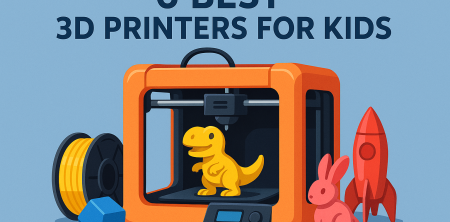
In the rapidly evolving world of technology and education, 3D printers for kids are making a significant impact. These devices not only fuel creativity but also teach valuable skills such as design thinking, problem-solving, and engineering principles. Choosing the right 3D printer for your child can be daunting, especially with the variety of models available on the market today. This article explores the six best 3D printers for kids, highlighting their features, educational benefits, and what makes each model unique.
1. Monoprice Mini Delta V2: Efficiency Meets Simplicity
The Monoprice Mini Delta V2 is an excellent choice for beginners due to its compact size and user-friendly features. This printer utilizes a delta design, which allows for faster printing speeds and higher accuracy. With an impressive build height of 12 inches and a 4-inch diameter, it's perfect for creating small prototypes or detailed models.
One of the standout features of the Mini Delta V2 is its ease of assembly. It comes partially assembled, enabling kids and parents to set it up quickly and get started with printing in no time. The printer also supports various filament types, including PLA, which is safe and easy to work with for young users. Furthermore, it features a built-in LCD screen for easy navigation, making it accessible for kids to learn the basics of 3D printing.
2. Creality Ender 3 V2: A Gateway to Advanced Printing
The Creality Ender 3 V2 is a fantastic option for kids who are ready to dive deeper into 3D printing. Known for its robust design, this printer offers an exceptional build volume of 220 x 220 x 250 mm, making it suitable for larger projects. The Ender 3 V2 also features a glass bed, which helps models adhere better during printing and makes for easier removal.
What sets this printer apart is its online community and plethora of upgrade options. Children and parents can explore modifications and enhancements, helping young makers learn about improving technology. The Ender 3 V2's open-source nature encourages experimentation, fostering a sense of curiosity and innovation, as kids can customize and adapt their machines.
3. FlashForge Adventurer 3: Smart and Intuitive
The FlashForge Adventurer 3 is designed for simplicity without sacrificing functionality. This model is well-known for its enclosed build chamber, which not only maintains a stable temperature but also ensures safety for younger users. With a build volume of 150 x 150 x 150 mm, it’s ideal for small projects and beginner-friendly prints. Related reading: online art resources.
Parents will appreciate the printer's intuitive touchscreen interface, which makes it easy for kids to operate. Moreover, the Adventurer 3 offers a hassle-free filament loading system, allowing children to focus on creativity rather than technical difficulties. Its Wi-Fi connectivity enables remote printing and monitoring, making it a great choice for tech-savvy families.
4. Anycubic Photon Mono: Unleash Artistic Potential
If your child is interested in detailed miniature models or intricate designs, the Anycubic Photon Mono is a fantastic option. This resin printer utilizes UV light to create highly detailed parts with a resolution of 50 microns, allowing for stunning prints that are difficult to achieve with standard FDM printers. (See: 3D printing in education.)
While working with resin requires more precautions due to safety concerns, the Photon Mono's user-friendly interface and straightforward setup make it accessible for older kids. The printer is compact, making it easy to fit into a home workspace, and its fast printing speeds mean young creators won’t have to wait long to see their designs come to life.
5. Kid Friendly 3D Printer (K3D): Tailored for Young Makers
The Kid Friendly 3D Printer (K3D) is specifically designed for children, incorporating safety features and a simplified user experience. This printer boasts a sturdy build, colorful design, and a user-friendly interface that allows young makers to focus on creativity rather than technical challenges.
One of the most appealing aspects of K3D is its educational component. It comes bundled with lesson plans and project ideas, helping kids learn about 3D modeling and printing in a structured way. The printer uses non-toxic filaments, making it a safe choice for younger users. Parents can feel confident knowing that their children are engaging in a fun and educational activity without compromising safety.
6. Prusa Mini: The Perfect Blend of Performance and Affordability
For families looking for a reliable, high-quality 3D printer, the Prusa Mini is an excellent contender. Known for its great print quality, this printer offers a build volume of 180 x 180 x 180 mm, making it versatile for various projects. Its open-source nature encourages kids to experiment, learn, and even troubleshoot as they go.
The Prusa Mini is also equipped with an easy-to-use interface and a robust online support system, making it perfect for both beginners and those ready to expand their 3D printing skills. Its vibrant online community provides access to a wealth of resources, including tutorials and tips to help young creators succeed.
Why 3D Printers Are Essential for Kids
The integration of 3D printers into children's education is not just a passing trend; it's a vital aspect of modern learning. With technology advancing at such a rapid pace, teaching kids how to use 3D printers equips them with essential skills for the future. Creativity, critical thinking, and problem-solving are all encouraged through hands-on experiences with these machines.
Moreover, using 3D printers enhances engagement in STEM (Science, Technology, Engineering, and Math) education. Kids are more likely to grasp complex concepts through tangible projects, and the excitement of creating their own designs fosters a deeper interest in these subjects. The ability to see ideas materialize can bolster confidence and inspire a lifelong passion for learning and innovation.
Considerations When Choosing 3D Printers for Kids
When selecting a 3D printer for children, several factors should be taken into account. Safety is paramount, so look for models that have enclosed designs, are easy to operate, and utilize non-toxic materials. Additionally, consider the age and experience level of the child. Some printers require a greater understanding of technology, while others are designed specifically for beginners.
Another important aspect is the size and build volume of the printer. Depending on the types of projects your child wishes to create, different printers will serve various needs. Lastly, community support and available resources can enhance the learning experience, as kids can seek help and discover new ideas from fellow enthusiasts. (See: Educational benefits of 3D printing.)
3D Printing Projects for Kids
To get the most out of their 3D printing experience, kids should engage in projects that challenge their creativity and skills. Here are a few fun project ideas that can inspire young makers: There's a fuller look at summer learning activities.
- Customized Keychains: Kids can design their own keychains in various shapes and sizes, incorporating their names or favorite characters.
- Functional Household Items: Encourage kids to create practical items like phone stands, plant pots, or pencil holders.
- Game Pieces: Kids can design and print custom game pieces for their favorite board games, making family game night even more exciting.
- Educational Models: Create educational tools like anatomical models, geometric shapes, or historical artifacts to enhance learning in different subjects.
Statistics and Impact of 3D Printing in Education
3D printing is not just a novelty; it has substantial implications for education. According to a study by the International Society for Technology in Education, 3D printing can enhance student engagement by over 50%. Moreover, 75% of teachers reported that 3D printing improved students’ understanding of complex subjects. These statistics highlight how 3D printers for kids can significantly impact learning outcomes.
Expert Perspectives on 3D Printing for Kids
Experts agree that early exposure to technology like 3D printing can provide children with a competitive edge in their future careers. Dr. Lisa McKenzie, an educational technology specialist, emphasizes that "3D printing in schools can transform conventional teaching practices, allowing for a hands-on approach that resonates with today's learners." This sentiment is echoed by robotics and coding expert, Tim Johnson, who states, "Kids who engage in 3D printing develop a unique combination of skills that blend creativity with technical understanding, essential for the careers of tomorrow."
Frequently Asked Questions About 3D Printers for Kids
What is the best age for children to start using a 3D printer?
Most children can begin using 3D printers around the ages of 8 to 10, with supervision. As they grow older, they can gradually take on more complex projects and responsibilities.
Are 3D printers safe for children?
Yes, many 3D printers are designed with safety features that make them suitable for children. Look for models with enclosed designs and non-toxic filament options.
Do I need to provide any additional materials?
Yes, in addition to the printer, you will usually need to purchase filament or resin separately. Some printers come with starter materials, but it's important to check beforehand. This builds on top play picks for kids.
Can kids design their own creations?
Absolutely! Many 3D printers come with user-friendly software that allows kids to create their own designs. There are also online platforms and resources that provide templates for beginners.
What are the common challenges kids face with 3D printing?
Some common challenges include understanding design software, troubleshooting printing issues, and managing print settings. Encouragement and guidance from parents or educators can help overcome these hurdles. (See: Importance of education in technology.)
Practical Tips for Parents on 3D Printing with Kids
If you’re considering diving into the world of 3D printing with your child, here are some practical tips to enhance the experience:
- Start Simple: Begin with basic projects that require minimal design work. This allows kids to familiarize themselves with the printer and the printing process.
- Encourage Experimentation: Let kids try different designs and encourage them to modify existing templates. This fosters creativity and critical thinking.
- Incorporate Learning: Use 3D printing as a tool to complement academic subjects. For instance, create models related to science projects or historical events.
- Stay Involved: Participate in the printing process with your child. This not only provides guidance but also strengthens your bond while learning together.
- Celebrate Achievements: No matter how small, celebrate completed projects. This boosts confidence and motivation for future endeavors.
The Future of 3D Printing in Kids' Education
As technology continues to advance, the role of 3D printing in education will likely expand. Schools are beginning to integrate 3D printing into curricula, allowing students to engage with design and engineering at an early age. This shift not only prepares kids for future careers in STEM fields but also encourages a culture of innovation and entrepreneurship.
Additionally, as prices for 3D printers decrease and usability increases, more families will have access to these tools at home. This democratization of technology means that the next generation will have unprecedented opportunities to learn, create, and innovate. Imagine a world where kids can not only design their toys but also prototype solutions for real-world problems, ranging from environmental issues to health care advancements.
Conclusion
3D printers for kids are more than just machines; they are gateways to creativity and innovation. The six models discussed in this article represent some of the best options on the market, catering to a wide range of needs, experience levels, and interests. Whether your child is just starting out or is ready to tackle complex projects, there’s a 3D printer that can meet their needs.
Investing in a 3D printer can open up endless possibilities for hands-on learning and exploration. In a world where technology is increasingly prevalent, equipping children with the tools to create and innovate ensures they are prepared for the future. So, consider diving into the world of 3D printing; you might just unlock the next generation of inventors and creators!
```
Trending Now
Frequently Asked Questions
What are the best 3D printers for kids?
Some of the best 3D printers for kids include the Monoprice Mini Delta V2 for its simplicity and ease of use, and the Creality Ender 3 V2 for those looking for advanced features. These printers offer valuable educational benefits while encouraging creativity and problem-solving skills.
What should I look for in a 3D printer for kids?
When choosing a 3D printer for kids, consider factors like ease of assembly, safety features, printing speed, and the types of filament it supports. User-friendly interfaces, compact designs, and educational resources also enhance the learning experience.
Are 3D printers safe for kids?
Yes, many 3D printers designed for kids, such as the Monoprice Mini Delta V2, use safe materials like PLA filament. Additionally, features like enclosed designs and user-friendly controls help ensure a safe printing environment for young users.
How much do 3D printers for kids cost?
The cost of 3D printers for kids can vary widely, typically ranging from $200 to $500. Entry-level models like the Monoprice Mini Delta V2 are more affordable, while advanced options like the Creality Ender 3 V2 may be priced higher due to their larger build volumes and enhanced features.
Can kids learn design skills with a 3D printer?
Absolutely! 3D printers provide an excellent platform for kids to learn design thinking and engineering principles. By creating their own models and prototypes, children can enhance their creativity, problem-solving abilities, and technical skills in a fun and engaging way.
Have you experienced this yourself? We'd love to hear your story in the comments.

