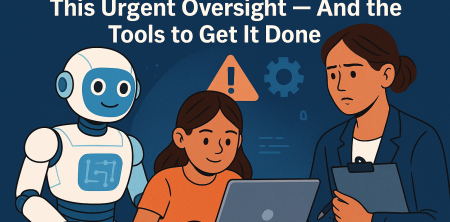
Alright, let's talk about something that's quietly, yet dramatically, reshaping our children's education: Artificial Intelligence. As a former Dean of Education and someone who's spent years in classrooms, I've seen countless technological shifts. But this one feels different. It's not just about a new gadget; it's about fundamentally altering how our kids learn, interact with information, and even develop.
The numbers don't lie. Since 2025, the use of AI in early childhood education has skyrocketed by a staggering 13.5%. Today, nearly half—46%, to be precise—of educators are integrating AI into their routines, mostly for administrative tasks, which, let's be fair, saves them a ton of time. But here's the rub: this rapid adoption is outrunning the policies needed to keep our kids safe. We're talking about genuine concerns among educators regarding AI accuracy (62% of them, folks!), safeguarding children, and, perhaps most critically, data protection (a worry for 53%).
This isn't some abstract future problem; it's happening right now. New York City, for instance, recently took the drastic step of banning generative AI tools for students from pre-kindergarten through eighth grade. That's a pretty clear signal, isn't it? It highlights a rapidly escalating debate about technology's role in young children's learning and the very real potential for over-reliance. So, as parents, what do we do? We need to be informed, vigilant, and equipped. That's why understanding the best parental control software for AI education isn't just a good idea; it's becoming essential.
The Silent Revolution: AI's Unexpected Entry into Early Education
When most of us think about AI, we picture robots or complex algorithms in Silicon Valley. We don't typically imagine it helping a kindergarten teacher prepare lesson plans or assisting a second grader with their math homework. Yet, here we are. The integration of AI into early education isn't just a trend; it's a quiet revolution that's already well underway. Teachers are using it to automate grading, personalize learning paths, and even generate creative content for the classroom. This frees them up to focus more on individual student needs, which sounds fantastic on paper.
However, the speed at which this technology has been adopted has left many parents, and even some educators, playing catch-up. Are we fully grasping the implications of our children interacting with AI at such formative ages? What does it mean for their critical thinking skills if an AI is constantly providing answers? How do we ensure they're developing the ability to discern fact from AI-generated fiction? These aren't easy questions, and there aren't always clear answers yet, which makes our role as parents even more critical. We need to be proactive, not just reactive, in understanding this new educational landscape.
The Unsettling Truth: Policy Lags Behind Progress
One of the most troubling aspects of AI's rapid ascent in education is the glaring gap between technological advancement and policy development. Think about it: AI tools are being implemented in classrooms across the country without a standardized set of guidelines for their ethical use, data privacy, or even basic safeguarding. This isn't just a minor oversight; it's a significant vulnerability. When educators express concerns about AI accuracy, they're not just nitpicking; they're questioning the very foundation of the information our children are receiving.
And then there's the data. Our children's data. Every interaction they have with an AI-powered educational tool could be collecting information about their learning styles, their strengths, their weaknesses, and even their emotional responses. Without robust data protection policies in place, who has access to this data? How is it being stored? Could it be used in ways we didn't intend or approve? These are serious questions that need answers, and until those answers are codified into clear, enforceable policies, it's up to us as parents to provide an additional layer of oversight. That's precisely where the best parental control software for AI education steps in.
The New York City Ban: A Glimpse into the Future of AI Regulation
The decision by New York City to ban generative AI tools for students from pre-kindergarten through eighth grade wasn't made lightly. It was a bold, some might say controversial, move that sent ripples through the educational technology world. This isn't just a local ordinance; it's a bellwether, a clear indication that policymakers are grappling with the profound implications of AI in sensitive areas like child development. The ban reflects deep-seated concerns about over-reliance, the potential for AI to stifle genuine learning and creativity, and, of course, the ever-present worries about data privacy and safeguarding.
While some argue that a ban stifles innovation, others commend it as a necessary pause, an opportunity to catch our breath and develop thoughtful strategies before AI becomes fully entrenched. Regardless of where you stand on the issue, the NYC ban serves as a stark reminder that the debate is far from settled. It underscores the urgency for parents to be actively involved in understanding and managing their children's digital interactions, especially with AI. This kind of regulatory action, or lack thereof in other areas, makes robust parental control solutions more important than ever. (See: CDC on youth health and education.)
1. Qustodio: The All-Rounder for Comprehensive Digital Oversight
When you're looking for a parental control solution that covers a lot of ground, Qustodio often comes up as a top contender. It’s designed to be a comprehensive digital safety net, and it certainly doesn't disappoint when it comes to managing how your kids interact with AI education tools. What I appreciate about Qustodio is its ability to provide a holistic view of online activity across multiple devices – something absolutely crucial in a world where kids switch seamlessly between tablets, laptops, and smartphones for their learning.
Specifically for AI education, Qustodio excels at web filtering, allowing parents to block access to specific AI platforms or generative AI tools that might be deemed inappropriate or unapproved for their child's age or learning stage. Its real-time monitoring means you can see what applications are being used and for how long. This is incredibly valuable for understanding if your child is spending excessive time on an AI chatbot rather than engaging with other learning materials. Furthermore, its time limits feature can help you manage screen time effectively, preventing over-reliance on any single digital tool, including AI-powered ones. This balance is key; we want our kids to benefit from AI, not be consumed by it. For more context, see AI Teachers in Classrooms.
Beyond just blocking and timing, Qustodio also offers detailed activity reports. These reports are gold for parents who want to understand their child's digital habits. You can see which educational apps and websites, including AI-driven ones, your child is frequenting. This insight allows for informed conversations about responsible AI use, data privacy, and the importance of critical thinking even when interacting with advanced algorithms. Qustodio's focus on user-friendliness means you don't need to be a tech expert to set it up and start monitoring, making it an accessible choice for many families navigating the complexities of AI in education.
2. Net Nanny: Precision Filtering for AI Educational Content
Net Nanny has built a strong reputation over the years, particularly for its advanced content filtering capabilities. In the context of AI education, where the line between helpful and harmful content can sometimes be blurry, Net Nanny's dynamic filtering is a significant advantage. Unlike some basic filters that just block entire websites, Net Nanny uses AI itself to analyze content in real-time, categorizing it and allowing or blocking access based on your predefined rules. This means it can potentially differentiate between a legitimate educational AI tool and a general-purpose generative AI platform that might not be suitable for children.
What makes Net Nanny particularly appealing for monitoring AI use is its ability to filter specific types of content within a website or application. For instance, if an educational platform uses AI but also has forums or chat features that could expose children to inappropriate interactions, Net Nanny's technology can be configured to block only those specific elements. This granular control is vital because many AI education tools are integrated into broader learning management systems. You don't want to throw the baby out with the bathwater by blocking an entire valuable resource just because one component poses a risk.
Furthermore, Net Nanny offers comprehensive reporting on search terms and visited sites, which is crucial for understanding how your child is interacting with AI tools. Are they asking appropriate educational questions? Are they trying to bypass filters to access restricted AI? The insights provided by Net Nanny empower parents to address these behaviors directly. The user interface is relatively intuitive, and setting up custom filtering rules for specific AI applications or keywords related to generative AI can give you peace of mind that your child is engaging with AI safely and productively, without being exposed to its potential downsides.
3. Bark: The AI-Powered AI Monitor
It feels a little meta, doesn't it? Using AI to monitor AI. But that's precisely where Bark shines, and it's a truly innovative approach to parental control, especially for the complexities of modern AI education. Unlike traditional parental control software that primarily focuses on blocking websites or setting time limits, Bark takes a more analytical approach. It monitors your child's online activities not just on browsers, but across texts, emails, and over 30 popular apps and social media platforms, identifying potential risks through its own advanced AI algorithms.
For AI education, this means Bark isn't just checking if your child is on an AI tool; it's looking at the *content* of their interactions. If your child is using an AI chatbot for homework, Bark can flag potentially concerning phrases, cyberbullying, sexual content, or even signs of depression or self-harm that might arise from their digital conversations. This is a game-changer because it addresses the more subtle, yet equally dangerous, risks associated with open-ended AI interactions. You're not just blocking access; you're gaining insight into the nature of their engagement with these powerful tools.
Bark doesn't aim to be a spy tool that shows you every single message. Instead, it alerts parents only when a potential issue is detected, providing context and allowing you to intervene when necessary. This balance respects a child's privacy while still offering critical safeguarding. Given the ethical dilemmas and data privacy fears surrounding generative AI, having a tool like Bark that can intelligently analyze interactions for red flags without requiring constant manual oversight is incredibly valuable. It helps parents stay informed about the deeper implications of their child's AI usage, beyond just what websites they visit.
4. Kaspersky Safe Kids: Robust Security with Educational Focus
When you hear 'Kaspersky,' you probably think cybersecurity, and you'd be right. Kaspersky Safe Kids leverages that deep expertise in digital security to offer a robust parental control solution that’s particularly well-suited for an environment increasingly dominated by AI education tools. One of its standout features is its comprehensive web filtering, which allows parents to categorize and block access to websites and applications that might be detrimental or simply inappropriate. For AI tools, this means you can specifically restrict access to unapproved generative AI platforms while allowing legitimate educational AI resources. (See: New York Times on AI in education.)
Beyond just blocking, Kaspersky Safe Kids offers detailed usage reports that can help you understand how your child is interacting with various online tools, including AI-driven educational apps. You can see how much time they spend on each application, which websites they visit, and even their search queries. This data is invaluable for identifying patterns of behavior, such as over-reliance on an AI chatbot for problem-solving rather than critical thinking, or attempts to access AI tools that haven't been vetted for educational use. The ability to set time limits for specific apps or overall screen time is also a strong point, helping to foster a balanced approach to digital learning.
What truly sets Kaspersky apart for me is its commitment to safeguarding. Given the concerns about data protection (53% of educators worry about it, remember?), leveraging a solution from a company known for its security protocols offers a certain level of reassurance. They understand the intricacies of protecting digital environments. Additionally, features like YouTube search history monitoring and location tracking (with consent, of course) add extra layers of safety, ensuring that while your child is engaging with AI for learning, they're also protected from other online risks. For more context, see AI Tools Revolutionizing Student Learning.
5. Mobicip: Balancing Freedom with Responsible AI Exploration
Mobicip positions itself as a tool for digital parenting that aims to strike a balance between giving children the freedom to explore and ensuring they do so responsibly. This philosophy is particularly relevant when it comes to AI education, where the goal isn't necessarily to block all AI, but to guide its appropriate and beneficial use. Mobicip offers strong web filtering capabilities that allow parents to define specific categories of websites and applications to be allowed or blocked. This means you can create a whitelist of approved educational AI tools while restricting access to more open-ended or potentially risky generative AI platforms.
One of Mobicip’s strengths is its flexibility. You can set different filtering levels and time schedules for different children, acknowledging that a teenager's needs for AI access might differ significantly from a younger child's. This adaptability is crucial in multi-child households or as children grow and their educational AI needs evolve. The ability to set daily screen time limits and specific app limits helps manage potential over-reliance on AI tools, ensuring that learning remains diverse and well-rounded, incorporating traditional methods alongside innovative AI approaches.
Furthermore, Mobicip provides detailed reports on internet activity, app usage, and search history. These reports give parents insights into which AI tools their children are using, how frequently, and for what purpose. This information can spark important conversations about the benefits and limitations of AI, critical thinking, and digital citizenship. The ability to remotely monitor and adjust settings from your own device adds convenience, making Mobicip a practical choice for parents who want to actively manage their children's engagement with AI in education without being overly restrictive.
6. Family Link by Google: The Free and Integrated AI Oversight
For many Android users, and increasingly for those in mixed-device households, Google Family Link offers a compelling, and importantly, free solution for parental control. While it might not have the hyper-specialized AI monitoring features of some premium services, its integration with Google's ecosystem makes it incredibly powerful for managing devices and applications that are often central to AI education. Since many educational apps and tools are accessed via Android devices or Chrome browsers, Family Link provides a foundational layer of oversight that's hard to beat for its cost.
Family Link allows parents to manage app downloads and purchases, meaning you can approve or deny any AI-powered educational app your child wants to install. You can also view app activity, seeing how much time your child spends on each application, including those that incorporate AI. This gives you a clear picture of their engagement. Beyond apps, it offers website filtering for Chrome, letting you block inappropriate sites or only allow access to a curated list of educational resources. This is key for ensuring they're using approved AI platforms rather than exploring unrestricted generative AI on the open web.
What I find particularly useful about Family Link is its ability to set device bedtime and daily limits. This helps prevent late-night AI learning sessions (or, more likely, late-night AI gaming sessions!) and ensures a healthy balance. For parents concerned about data privacy and general safeguarding in AI education, Family Link provides a strong, accessible baseline. While it may not delve into the content of AI interactions like Bark, it gives you significant control over the *access* to and *usage* of AI-enabled devices and applications, all without an additional subscription fee.
7. OurPact: Scheduling and App Management for AI Learners
OurPact offers a different flavor of parental control, focusing heavily on scheduling and app management, which can be incredibly effective for managing children's engagement with AI education tools. Rather than just blocking, OurPact empowers parents to create schedules for when apps and internet access are allowed. This is fantastic for ensuring that AI learning happens during designated study times, and not during family dinner or bedtime. For more context, see Ethically Implement AI Tools in Education. (See: WHO on education and health.)
The core strength of OurPact lies in its ability to grant or block internet and app access with a single tap, or to set automated schedules. Imagine being able to grant access to an AI math tutor app only during a specific homework window, then automatically blocking it when that time is over. This level of control is invaluable for preventing over-reliance on AI tools and encouraging a balanced approach to learning. You can approve specific educational AI apps and block all others, giving you precise control over the digital tools your child is interacting with.
Furthermore, OurPact allows parents to view screenshots of their child's device activity, offering a visual insight into what they're doing. While this feature requires careful consideration regarding privacy, it can be a powerful tool for understanding how a child is interacting with an AI tool if concerns arise. For parents who want a high degree of control over when and how their children access AI educational resources, OurPact's scheduling and app management features provide a structured and effective solution, helping to instill responsible digital habits from an early age.
The Broader Implications: Navigating the Ethical Minefield of AI in Education
Beyond the technical solutions, we have to talk about the ethical quagmire we're wading into. The speed at which AI is integrating into sensitive areas like child development is truly astonishing. We're not just dealing with screen time anymore; we're grappling with questions of originality, critical thinking, and even the very nature of human learning. Will children become too reliant on AI to generate ideas or solve problems, potentially stifling their own cognitive development? What happens to creativity when an AI can churn out a compelling story or poem in seconds?
These aren't hypothetical questions for a philosophy class. They're immediate concerns for parents and educators alike. The ethical dilemmas extend to data privacy, as we've discussed, but also to bias. AI models are trained on vast datasets, and if those datasets contain biases, the AI will perpetuate them. What impact does this have on a child's worldview if their educational AI reflects societal biases? These are profound issues, and while parental control software can manage access and monitor usage, it doesn't absolve us of the responsibility to engage in these deeper, more complex conversations with our children and within our communities.
Empowering Parents: Your Role in the AI Education Era
So, what's the takeaway here? It's clear that AI is not just coming; it's already here, deeply embedded in our children's educational lives. And while the promises of personalized learning and administrative efficiency are compelling, the concerns around accuracy, safeguarding, and data protection are equally valid, if not more pressing. As parents, we are now on the front lines of this technological frontier. We can't afford to be passive observers.
Empowering ourselves with knowledge and the right tools is paramount. Understanding the capabilities of the best parental control software for AI education, like Qustodio, Net Nanny, Bark, Kaspersky Safe Kids, Mobicip, Google Family Link, and OurPact, gives us a fighting chance to manage the risks while still allowing our children to benefit from innovative learning. It's about being proactive, having informed discussions with our kids, and advocating for robust policies in our schools. This isn't just about controlling devices; it's about guiding our children through a rapidly evolving digital landscape, helping them develop the critical thinking and digital literacy skills they'll need to thrive in an AI-powered world.
Trending Now
- the complete explanation
- Outrageous: Washington Parents’ Rights Bill Sparks Fierce Battle — What You Need to Know
- Unbelievable: AI Teachers in Classrooms? The Real Crisis Facing Our Schools
- Your Data Stolen in the Canvas Breach? Here’s How a Class Action Could Get You Justice!
- our breakdown of the canvas catastrophe: 9 urgent solutions to safeguard schools post-2026 breach
Frequently Asked Questions
How is AI changing children's education?
AI is fundamentally reshaping children's education by enhancing how they learn and interact with information. Its integration has surged, with 46% of educators using AI for various tasks, leading to significant changes in lesson planning and personalized learning experiences.
What are the risks of AI in early childhood education?
The rapid adoption of AI in education raises concerns about accuracy, safety, and data protection. Many educators worry about the reliability of AI tools, with 62% expressing concerns about accuracy and 53% about safeguarding children's data.
Why do some schools ban AI tools for students?
Schools, like those in New York City, have banned AI tools for younger students to address concerns over over-reliance on technology and to protect children's learning experiences. This reflects a growing debate about the appropriate use of AI in education.
What can parents do to ensure safe AI use in education?
Parents can play an active role by staying informed about AI tools in education, advocating for appropriate oversight, and utilizing parental control software to monitor and manage their children's interactions with AI technologies.
What are the benefits of using AI in classrooms?
AI offers numerous benefits in classrooms, such as streamlining administrative tasks for teachers and providing personalized learning experiences for students. This technology can enhance lesson planning and help students with individualized support in subjects like math.
Have you experienced this yourself? We'd love to hear your story in the comments.


0 Responses